fg80 App — Keep it in your pocket,
start playing anytime
The fg80 App is just 28 MB and installs directly on your Android phone. Deposit with bKash, Nagad, Rocket, or Upay — and enjoy everything from live slots to fishing games, all in one place. No Play Store needed, just download the APK directly.
App info & guide for iOS users
| Detail | Details |
|---|---|
| Version | 2.9.11 |
| File Name | fg80.apk |
| File Size | 28 MB |
| Minimum Android | 8.0 (Oreo) |
| Last Updated | 26 November 2026 |
| Price | Free |
| Language | Bengali / English |
| Supported Payments | bKash, Nagad, Rocket, Upay |
fg80 App is not available on the App Store. But if you open the site in Safari on your iPhone or iPad and add it to your home screen, it works just like an app — you get a separate icon and can open it directly next time.
- 1 Open Safari on your iPhone or iPad and go to fg80.vu. This option is not available in Chrome or Firefox.
- 2 Tap the Share icon at the bottom of the screen (the box with an arrow pointing up).
- 3 Scroll down and select "Add to Home Screen".
- 4 If asked for a name, type "fg80" and tap "Add" in the top right corner.
- ৫ The fg80 icon will appear on your home screen. Tap it to go directly to the game lobby.
iOS shortcuts don't support push notifications — that feature is only available on the Android App.
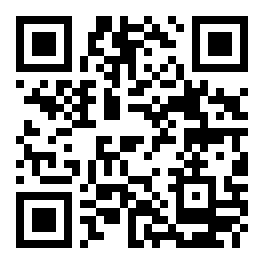
How to install the fg80 APK on Android — step by step
fg80 isn't on the Google Play Store, so you'll need to install the APK file directly. You just need to enable one setting beforehand — follow the steps below and the whole process takes under five minutes.
Allow installation from unknown sources
By default, Android blocks APKs from outside the Play Store. You'll need to remove that restriction first. Open Settings → Security and turn on "Install Unknown Apps" or "Allow from this source". On Android 8 and above, this setting is per-app — select the browser you're using to download (Chrome, Firefox, etc.).
Download the APK file
Tap the "Download fg80.apk" button above. Once the download is complete, you'll find the file in your notification bar or under File Manager → Downloads. The file name is fg80.apk and it's ২৮ MB. If the download is slow, switch to Wi-Fi.
Start the installation
Once the download finishes, tap "Open" in the notification — or go to File Manager and tap fg80.apk. The installer will launch and show an "Install" button. Tap it to begin. The whole process takes ৩০–৬০ seconds.
Handling Android security warnings
During installation, Android "Play Protect" may show a warning. This is an automatic system message that appears for all third-party APKs. "Install Anyway" or "Install anyway" The file is safe when downloaded directly from the official fg80 site fg80.vu The file is safe when downloaded from here.
Open the app and log in or register
Once installation is done, tap "Open". The fg80 App will launch and show the login or registration page. If you already have an account, go ahead and log in. New here? Head to the registration page and create your account — the whole process takes just a few minutes. For a step-by-step guide, check out the registration guide.
Should you install the App or just use the browser?
Installing the App is not required to play on fg80 — all games run on mobile browser as well. But the experience does differ between the two. Check the comparison below and decide which one suits you better.
| Detail | fg80 App (Android) | Mobile Browser |
|---|---|---|
| Loading Speed | Faster — UI is cached, the game lobby opens almost instantly | Reloads every time, pages take 2–4 seconds longer to load |
| Push Notifications | Yes — bonus alerts, live match updates, and deposit confirmations come directly | No — you have to check manually by opening the site |
| Data Usage | Lower — static files are not downloaded again | Higher — CSS/JS may reload every session |
| Storage Required | Takes up 28 MB on your phone | Zero — nothing is installed on your phone |
| iOS Compatibility | No — Android 8.0+ only | All devices — iPhone, iPad, any browser |
| Home Screen Icon | Automatic — appears on your home screen right after installation | You need to manually tap "Add to Home Screen" in Safari |
| Updates | Download and install a new APK — you'll be notified occasionally | Automatic — you always get the latest version when you visit the site |
| Offline Use | Cannot play without internet, but UI loads faster | Does not work without internet |
You play regularly, want push notifications, use mobile data, and have an Android 8.0 or above phone. You save 2–3 seconds every session — over a month, that adds up.
You're on an iPhone or iPad, or your phone is low on storage. The browser gives you full access to all games, bKash/Nagad deposits, and withdrawals — nothing is missing, you just won't get notifications.
To explore games and check RTP, visit the fg80 Casino page.
App on Older or Low-RAM Phones — Issues and Fixes
fg80 App runs on Android phones with 2 GB RAM or on 2G/3G networks — but without a few tweaks, games can stutter at times. Below are the most common issues and quick fixes.
Low RAM and older processor
- Close background apps: Before opening fg80, swipe away recently used apps. Freeing up 500–800 MB of RAM makes games run much smoother.
- Clear app cache: Settings → Apps → fg80 → Storage → Clear Cache. Doing this once a month helps prevent slow loading.
- Battery saver mode: This mode slows down the CPU. Turn it off while gaming — or at least play while your phone is charging.
- Take a break if your phone overheats: When a phone gets too hot, Android automatically throttles the CPU. A 5-minute break lets it cool down and the game runs normally again.
Playing on 2G / 3G Network
- Go for slots or lottery games: Fishing games load heavy graphics. On 2G/3G, slots and lottery games start much faster and use less data.
- Switch your connection: If mobile data is giving trouble, move to Wi-Fi. No Wi-Fi nearby? A quick page refresh usually fixes the connection.
- Avoid peak hours: Networks get congested between 8–11 PM. Playing in the morning or afternoon means faster loading.
- If the game freezes: Close the app, check your background data, then reopen it. In most cases the connection is back to normal on the second try.
Three Settings to Save Data and Battery
Most Common Questions About the fg80 App
Download, start playing
Install the fg80 App, create an account — deposit via bKash or Nagad and you're ready to play.